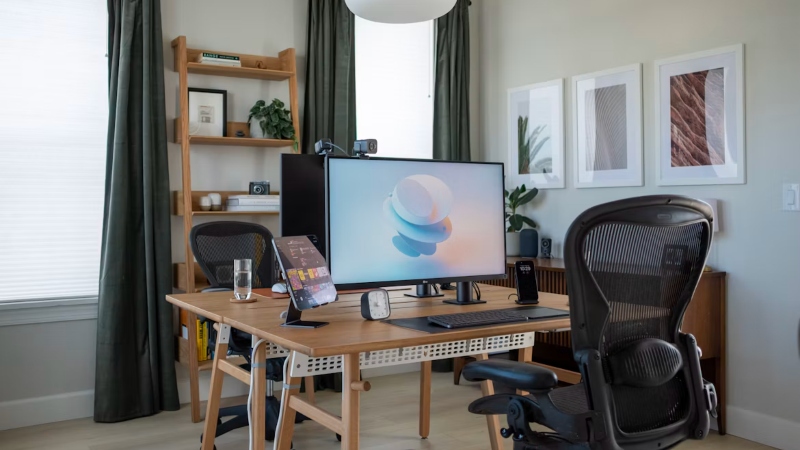
Working from home sounds simple until several people need to share the same space. Suddenly, finding quiet corners, organizing equipment, and managing daily tasks become challenging. A small-team home office needs more planning than simply adding desks and chairs.
According to the US Bureau of Labor Statistics, 22.6% of workers teleworked in March 2026. Over the prior year, that telework rate ranged from 21.5% to 23%.
When nearly a quarter of working people are logging in from home, sharing that space with teammates requires deliberate layout and workflow choices. You want everyone to feel comfortable, focused, and connected throughout the workday.
Fortunately, creating a functional workspace does not require a massive budget. With a few thoughtful choices, you can make things work.
Choose Ergonomic Furniture and Create a Professional Desk Setup
When multiple people work together, comfortable furniture becomes essential for maintaining productivity. Spending hours at poorly designed desks can cause back pain and unnecessary fatigue.
Start by choosing adjustable chairs that provide proper lumbar support and comfortable seating. Your desks should also offer enough room for computers, documents, and everyday accessories. If possible, choose desks with adjustable heights to accommodate different working preferences.
Small details, including monitor stands and keyboard positioning, can make substantial differences. Remember, an organized workspace should support comfortable movement rather than restrict it.
Getting everything arranged properly can become difficult when several workstations share limited space. Professional commercial furniture installers can help you select and arrange suitable office furniture.
FourSpoke notes on its website, https://www.04spoke.com/, that professional commercial furniture installation services can help organizations bring workspaces to life. These professionals understand how modular furniture can maximize available space without making rooms feel crowded.
Whether you’re creating one workstation or several, their experience brings valuable corporate planning principles. Professional commercial furniture installation services also help ensure ergonomic arrangements remain practical.
Make Technology and Internet Reliability a Priority
A small-team office depends heavily on reliable technology for everyday communication and collaboration. Before arranging desks, check whether your internet connection can handle simultaneous video calls. Slow connections can interrupt meetings, delay file transfers, and frustrate everyone involved.
A US Federal Communications Commission report for June 2025 notes that 84% of fixed connections had downstream speeds of at least 100 Mbps. At the same time, about 4% of fixed connections still had downstream speeds of less than 25 Mbps. Checking your actual connection speeds ensures multiple team members can join calls and move large files without lag.
Consider upgrading your router or choosing a business-grade internet package when necessary. Position networking equipment centrally to provide consistent coverage throughout the workspace. You should also keep essential cables organized to prevent accidental disconnections.
Beyond internet access, think carefully about the equipment your team actually needs. Each employee should have a dependable computer suited to their responsibilities. Shared printers, scanners, and external storage devices can reduce unnecessary expenses.
However, avoid purchasing equipment simply because traditional offices typically include it. Cloud-based applications often eliminate the need for several expensive physical devices. Invest in reliable backup systems to protect important documents against unexpected technical problems.
Establish Clear Boundaries Between Work and Personal Life
One common challenge of working from home involves separating professional responsibilities from household activities. This becomes even more important when several colleagues share residential surroundings. Establish specific working hours so everyone understands when the office operates.
Consistent schedules also help employees coordinate meetings and manage shared responsibilities. If possible, dedicate one room exclusively to professional activities. This physical separation makes switching between personal and professional responsibilities considerably easier.
Also, establish basic expectations surrounding noise and workplace interruptions. Some employees might need quiet environments for calls, writing, or concentrated assignments. Others may regularly collaborate through discussions and brainstorming sessions.
Consider introducing quiet hours when everyone can focus without unnecessary interruptions. Encourage employees to communicate their availability through shared calendars or messaging applications.
These small arrangements prevent misunderstandings and make daily coordination easier. Most importantly, respect everyone’s personal time after scheduled working hours end.
Create Shared Storage and Keep the Workspace Organized
A small office can quickly become cluttered when several people share limited storage. Documents, charging cables, stationery, and personal belongings gradually occupy valuable desk space. Without an organizational system, finding everyday essentials becomes unnecessarily frustrating.
Start by introducing shared cabinets, shelves, and clearly labeled storage containers. Assign specific spaces for frequently used supplies and equipment. Keeping common resources accessible reduces interruptions and prevents unnecessary duplicate purchases.
Digital organization deserves equal attention when several employees share responsibilities. Establish consistent naming conventions for files, folders, and important documents. Shared cloud storage can help everyone access updated information without requesting individual copies.
However, remember to establish appropriate permissions for confidential company materials. Regularly remove outdated files and archive documents that employees rarely need. Encourage everyone to tidy their individual workstations before finishing each day. A cleaner environment makes mornings easier and keeps important resources accessible.
Build a Collaborative Environment Without Sacrificing Privacy
Small teams benefit from regular communication, but constant interaction can become distracting. Your office layout should encourage collaboration without eliminating opportunities for individual concentration.
Consider creating a shared table where employees can discuss projects comfortably. A separate corner with comfortable seating can support informal conversations. If space permits, introduce simple partitions between individual desks. These additions provide some privacy while keeping everyone connected throughout the day.
Technology can also make collaboration easier when employees cannot gather together. Video conferencing platforms help teams communicate with remote colleagues and external clients. Project management applications provide visibility into assignments, deadlines, and ongoing responsibilities. Schedule short team check-ins to discuss priorities without filling everyone’s calendar.
Encourage employees to share feedback about the workspace regularly. A Pew Research Center report published in January 2025 found that 61% of workers who work from home all the time said they would be unlikely to stay at their job if they could no longer work from home. The same survey noted that 47% of those working from home most of the time and 28% of those doing so some of the time felt similarly.
Listening to how your team experiences the space and adapting when needed supports retention and day-to-day comfort. Their observations can reveal problems that managers might otherwise overlook.
FAQs
How do you establish clear boundaries between personal living spaces and shared team work zones in a house?
Designate specific rooms or sections exclusively for work, keeping personal areas separate wherever possible. Use partitions, shelving, rugs, or different lighting to visually distinguish shared work zones. Establish clear access rules and working hours so everyone understands which spaces are available and when.
What shared workspace etiquette and scheduling habits help a small team stay productive in close quarters?
Agree on shared rules covering desk usage, equipment, cleanliness, noise, and meeting schedules. Use a shared calendar to reserve workstations, conference areas, and equipment before important tasks. Encourage respectful communication, timely breaks, and regular check-ins to prevent misunderstandings and keep everyone focused.
How can you manage background noise and acoustic privacy when several team members take video calls in the same room?
Use noise-canceling headphones, directional microphones, and acoustic panels to reduce distractions during video calls. Arrange workstations strategically, leaving space between employees and positioning desks away from noisy areas. Establish quiet hours and consider separate call zones for conversations involving confidential information or extended discussions.
5 Tips for Building a Small-Team Home Office
| Key Point | Summary |
| Choose Ergonomic Furniture | Invest in comfortable chairs, adjustable desks, and practical workstation arrangements. |
| Prioritize Technology | Ensure reliable internet, suitable equipment, and secure data backups. |
| Set Work-Life Boundaries | Establish working hours, quiet periods, and clear expectations around interruptions. |
| Organize Shared Storage | Use labeled storage, shared cloud folders, and consistent file management systems. |
| Balance Collaboration and Privacy | Create shared discussion areas while providing quiet spaces for focused work. |
Building a small-team home office involves much more than arranging furniture inside an available room. You need comfortable equipment, dependable technology, organized storage, and practical workplace routines. Equally important, everyone should have enough privacy and opportunities for collaboration.
Start with essential improvements rather than attempting an expensive transformation immediately. A thoughtfully designed workspace helps everyone work comfortably while maintaining professional standards. With the right approach, even a modest room can become an effective workplace.
Click here for more details.
A Practical Guide to Building a Small-Team Home Office